I tried to change the Node_ID for my devices but it didn’t seem to take.
With a single device on I followed the instructions to set a device into config and changed this nodeID to the MAC address. Am I missing something?
The device stays as NodeID 0, along with the other devices on the network.
Hi @danempiric the valid input for Node ID is 0 to 255.
Thanks,
Eduardo M
thanks, to update it for the device, do I change it in node-red and then put the device in config mode?
Should I be doing this with only one device connected to the gateway at a time?
Hi @danempiric the steps are:
- Access to Wireless Device node.
- Enable the Auto config and Wait for Network formation check boxes.
- Enable the Node ID and Delay check box (Active).
- Enter the new valid Node ID.
- Click on Done and then click on Deploy buttons.
- Put the Wireless Gateway node into configuration mode (by clicking the embedded left button).
- Put the Sensor into configuration mode.
Let me share you a git for your reference:
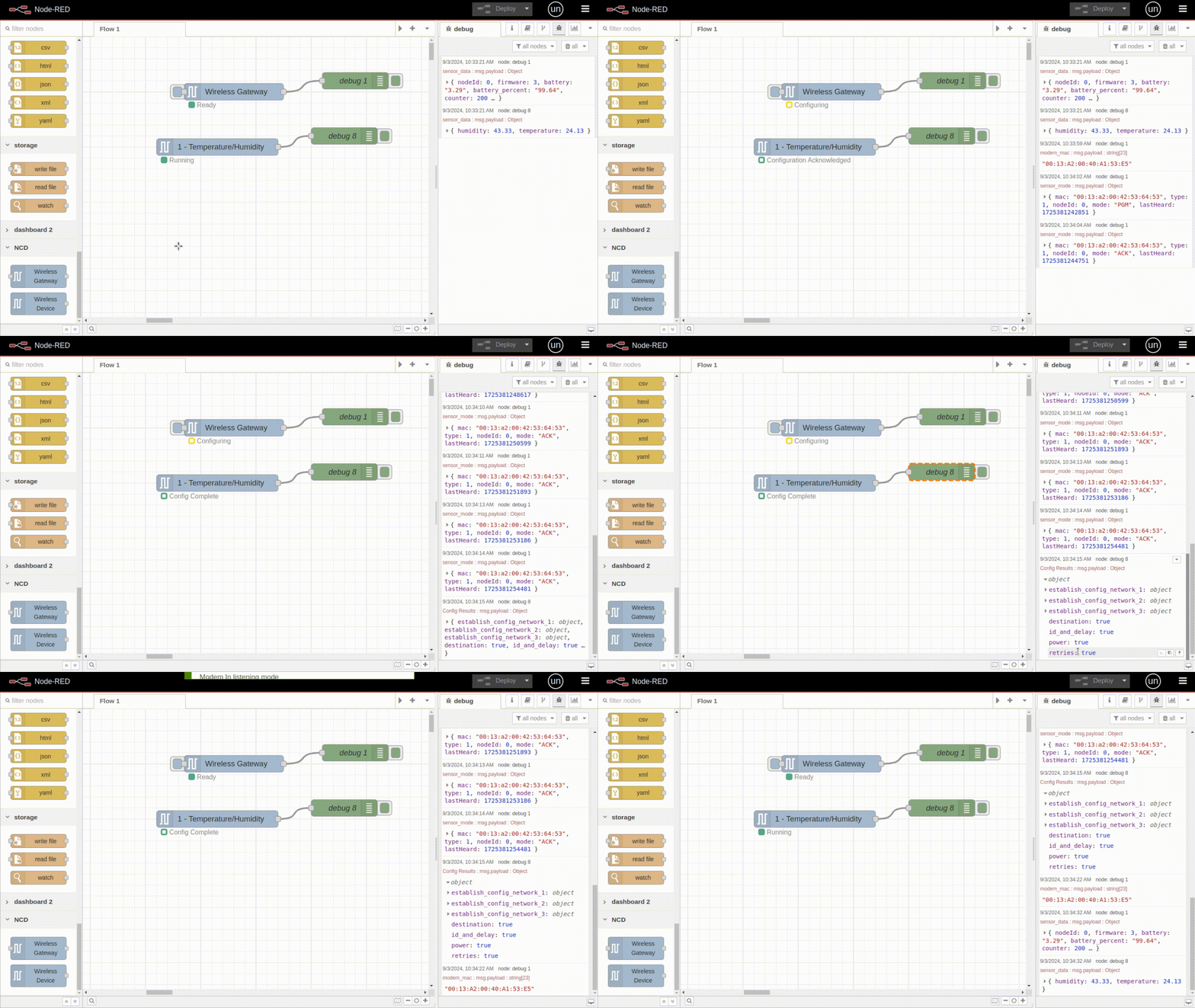
Source (Manual configuration 10.1): https://ncd.io/blog/ncd-sensor-configuration-guide-using-node-red/
Thank you,
Eduardo M
1 Like

